
Dojo Skills: Teach Your Agent New Workflows
Skills are reusable playbooks your agent loads only when a task needs them. Learn what ships built in, which skill packs we recommend, and how to install them globally or per project from the app or the dojo command.
A good model is smart. A good model with the right playbook is useful.
Skills are those playbooks. Each skill is a small folder with a SKILL.md file: a short description of when it applies, followed by the steps, conventions, and references an expert would follow. Dojo reads only the description up front. The full instructions load when a task actually calls for them, so you can install many skills without bloating every conversation.
Dojo uses the open skills format and the standard .agents/skills/ folders, so the same skill packs work across tools that support it.
What ships built in
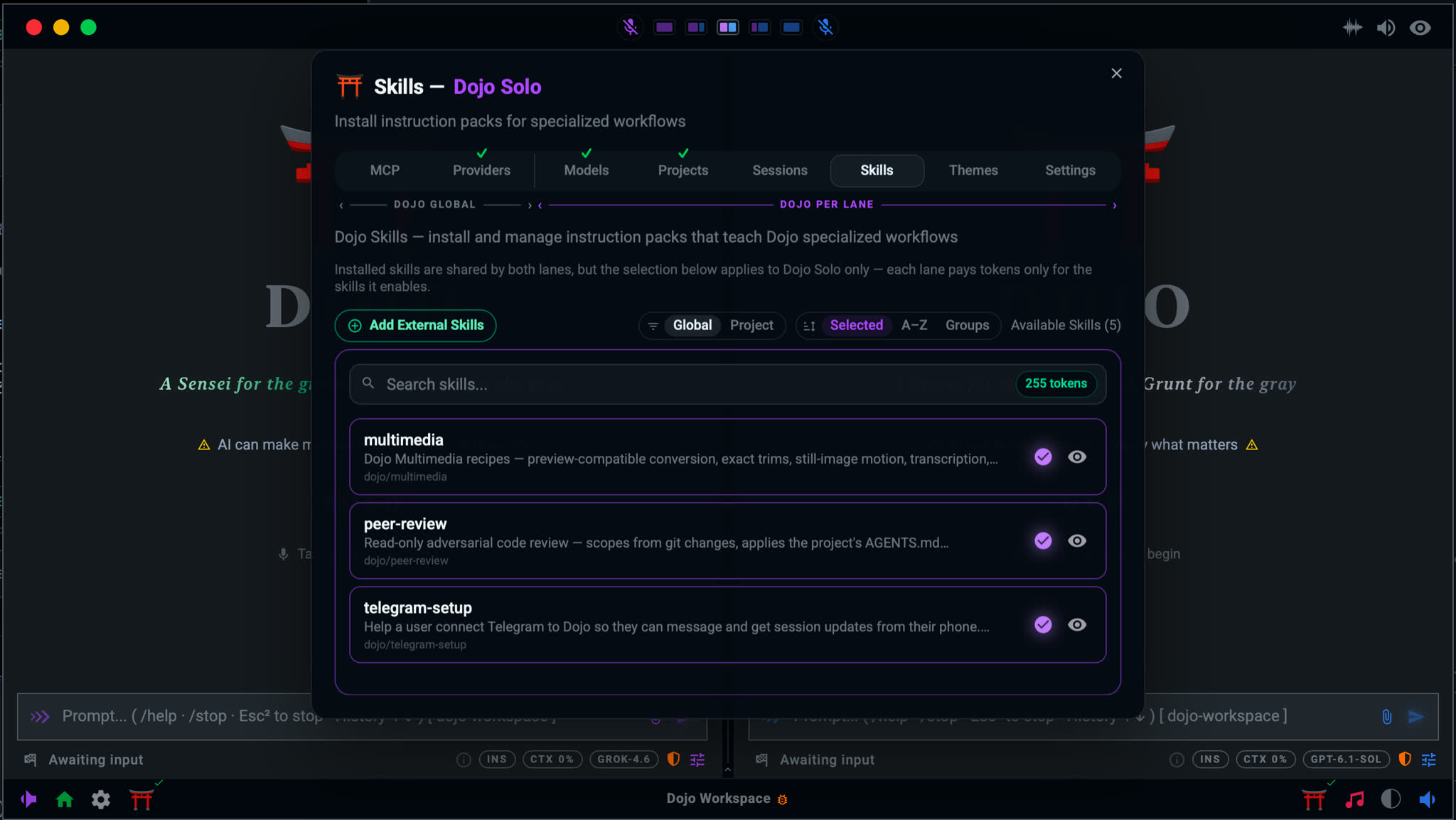
Dojo installs a few of its own skills for you. They cover work Dojo does every day:
- multimedia: recipes for Dojo's native media tools. It covers preview-friendly conversion, exact trims, still-image motion, transcription, Spotter visual search, thumbnails, frames, subtitles, muxing, and downloading remote media.
- peer-review: a read-only, adversarial code review. It scopes itself from your git changes, follows your project's
AGENTS.mdconventions, reports findings as blocking, should-fix, or nit with afile:linefor each, and ends with an evidence-based verdict. Ask for a review in plain words or use/review. - telegram-setup: walks you through connecting Telegram, so you can message Dojo and get session updates from your phone.
Everything else is opt-in. Nobody gets a pile of skills they never asked for.
Recommended skill packs
The Add Skills dialog offers these repos as one-click installs. Each one installs cleanly with both dojo skills add and npx skills add.
Multimedia: remotion-dev/skills
Remotion's official skills for programmatic video in React: animation, captions, rendering, and composition. Pair it with Dojo's built-in multimedia skill when you want product reels, explainers, or captioned clips built from code.
Frontend: vercel-labs/agent-skills
Vercel's React best practices, view transitions, and deploying to Vercel. Useful whenever Dojo is building or reviewing a React or Next.js app.
Development: addyosmani/agent-skills
Addy Osmani's engineering workflows: writing specs, planning, test-driven development, code review, and shipping. It's a strong default for any software project, and it keeps the agent working like a disciplined senior engineer rather than a code generator.
General: anthropics/skills
Anthropic's skills for documents, spreadsheets, slides, design, and more. Reach for it when the work produces Word, Excel, PowerPoint, or PDF files instead of code.
General: openai/skills
OpenAI's curated skills catalog: a broad set of general-purpose workflows.
Legal: neekware/patent-trademark-skills
Helps you prepare patent and trademark filings for Canada and the United States. It structures the drafting and checklist work; it does not replace a registered agent or lawyer.
Backend / Architecture: microsoft/skills
Guidance for building with Microsoft SDKs and services, including Azure.
Where to start
You don't need all of them. A sensible first set:
- Writing software? Install
addyosmani/agent-skills, and addvercel-labs/agent-skillsif you work in React. - Producing documents or decks? Install
anthropics/skills. - Making video? Install
remotion-dev/skills.
Add more when the work gives you a reason. Fewer, relevant skills beat a crowded list.
Global or project
Skills can live in two places:
- Global:
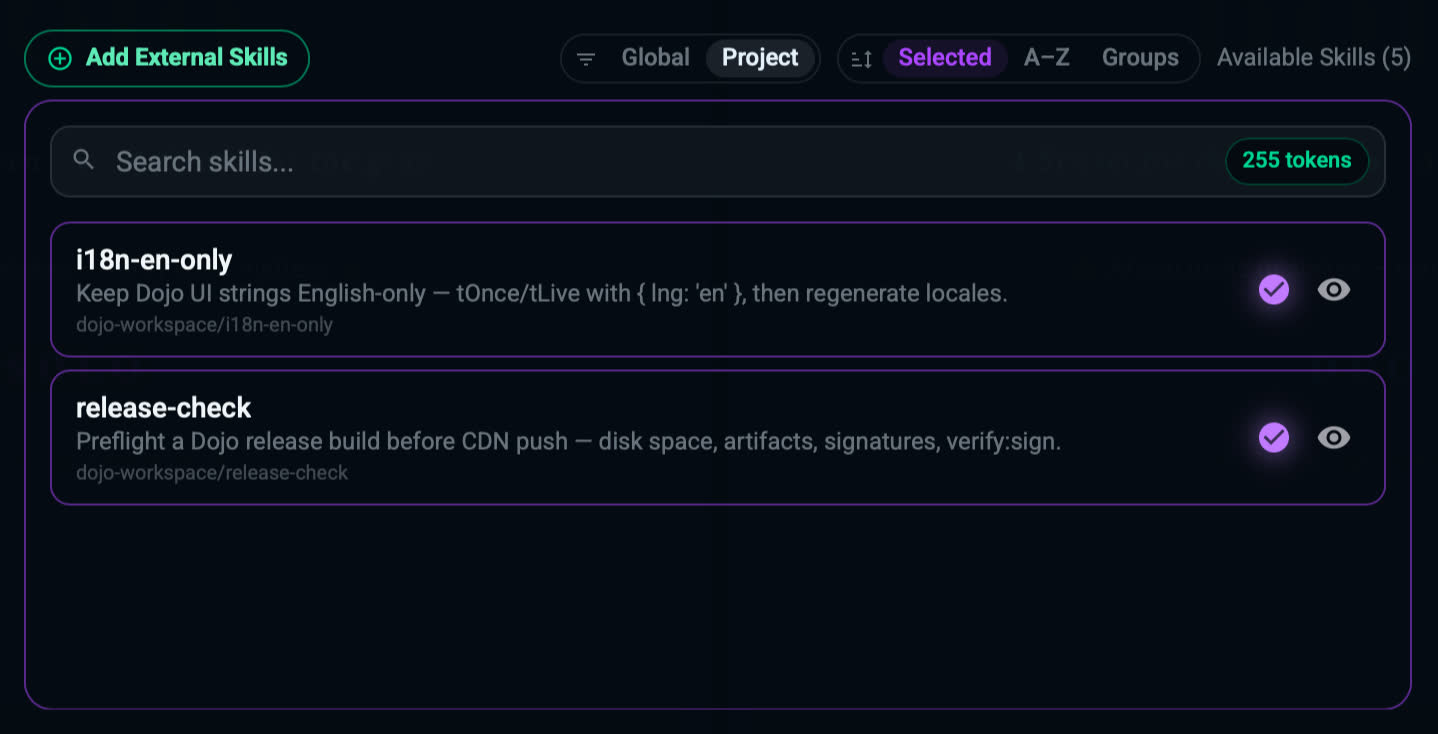
~/.agents/skills/. Available in every project. Turn each one on for the lane where you want it (Dojo Solo or Dojo Duo). - Project: the project's own
.agents/skills/. Available only in that project and enabled for it automatically. Commitskills-lock.jsonso your team gets the same skills at the same versions.
Install from the app
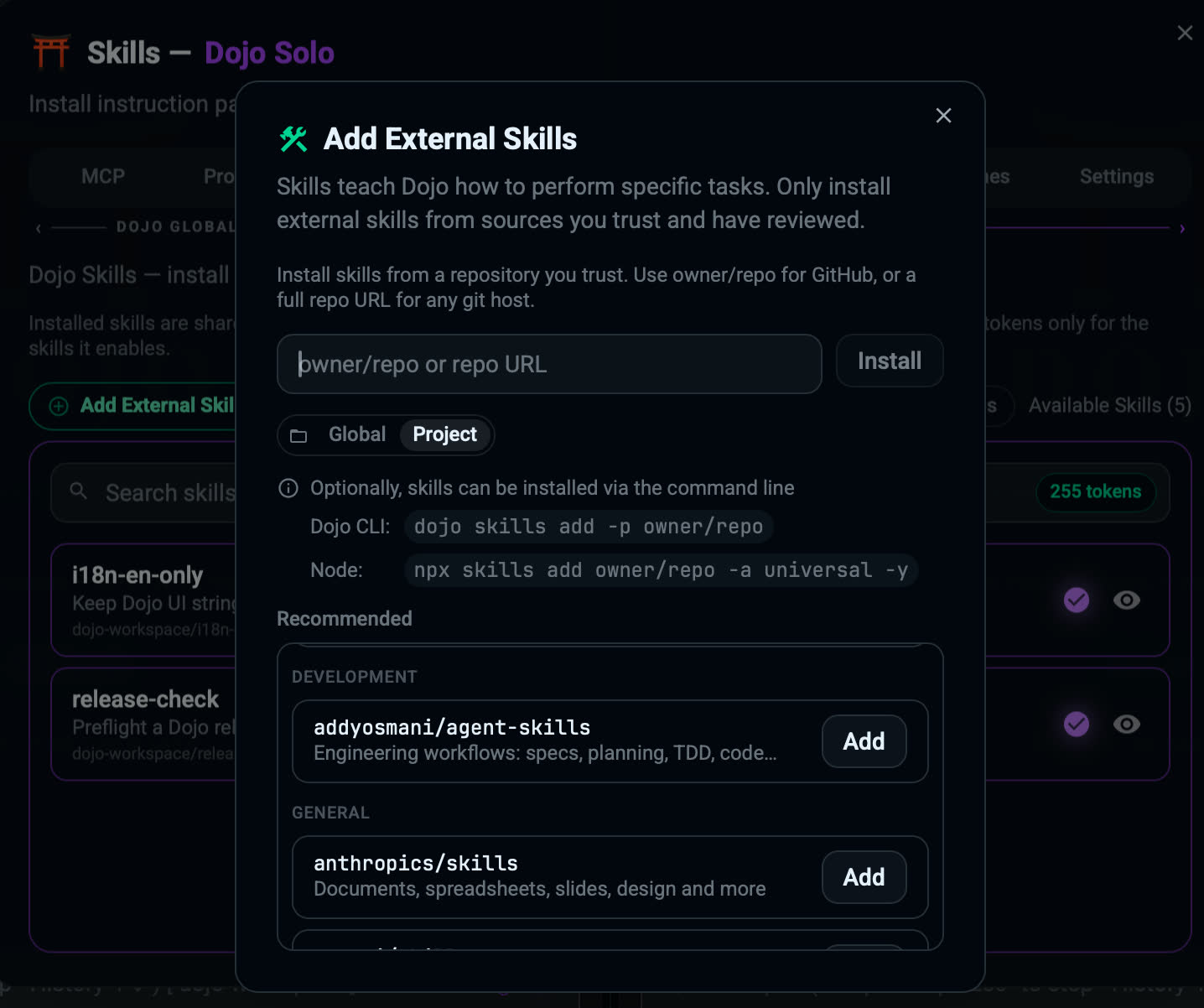
Open the Skills panel and choose Add External Skills. Pick a recommended repo or type any GitHub owner/repo, choose global or project, then select Install. The skills appear in the panel right away, grouped under their source repo.
Install from the command line
Installing Dojo Workspace also puts the dojo command on your PATH.
$ dojo skills --help
Manage Dojo skills

Usage: dojo skills <COMMAND>

Commands:
  add     Install every SKILL.md from a repo (owner/repo for GitHub, or any https git URL) [alias: install]
  remove  Remove installed skills: one skill, or everything installed from a repo [alias: uninstall]
  list    List installed skills (`repo/skill`) [alias: ls]
  help    Print this message or the help of the given subcommand(s)
Every command takes the same scope flag:
-g,--global: all projects, in~/.agents/skills(the default)-p,--project: this project only, in./.agents/skills, tracked in./skills-lock.json
Add
# Global
dojo skills add addyosmani/agent-skills

# Project: run from the project root
dojo skills add -p addyosmani/agent-skills

# Any git host works too
dojo skills add https://gitlab.com/owner/repo
add installs every SKILL.md it finds in the repo. The source is owner/repo for GitHub, or a repo URL from any git host.
List
dojo skills list        # global
dojo skills list -p     # current project
Each skill is listed as repo/skill.
Remove
# One skill
dojo skills remove code-review-and-quality
dojo skills remove agent-skills/code-review-and-quality

# Everything installed from a repo
dojo skills remove agent-skills
dojo skills remove addyosmani/agent-skillsinstall, uninstall, and ls work as aliases for add, remove, and list.
If dojo is not found
Add its install folder to your PATH, or run it by its full path:
- macOS / Linux:
~/.local/bin(full path~/.local/bin/dojo) - Windows:
%LOCALAPPDATA%\dojo\bin(full path%LOCALAPPDATA%\dojo\bin\dojo.exe)
Open a new terminal after the app's first launch so the PATH change takes effect.
Using skills
You rarely have to call a skill by name. Describe the outcome you want, for example "plan this feature, then build it test-first" or "turn these notes into a slide deck", and Dojo loads the matching skill when the task needs it. When a specialized workflow is done, the skill can be unloaded so it stops taking up context.
Skills guide the work; they don't override it. Dojo's safety rules, access levels, and confirmations for destructive actions still apply, whatever a skill says.
Write your own
A skill is just a folder with a SKILL.md: a name and a one-line description in front matter, then the instructions. Put it in your project's .agents/skills/ to share it with the team, or publish it as a GitHub repo so anyone can install it with dojo skills add owner/repo.
Start small: capture the one workflow you keep explaining to your agent, and let the skill explain it from now on.