
Dojo Made Its Own Commercial: A Peacock, a Hummingbird, and a Reggae Song in About Half an Hour
One still, two 15-second clips, a seamless face-to-face loop, and a reggae song about Dojo, all made inside Dojo Workspace with three providers in one session. Every step, every prompt, every fix, and what it cost.
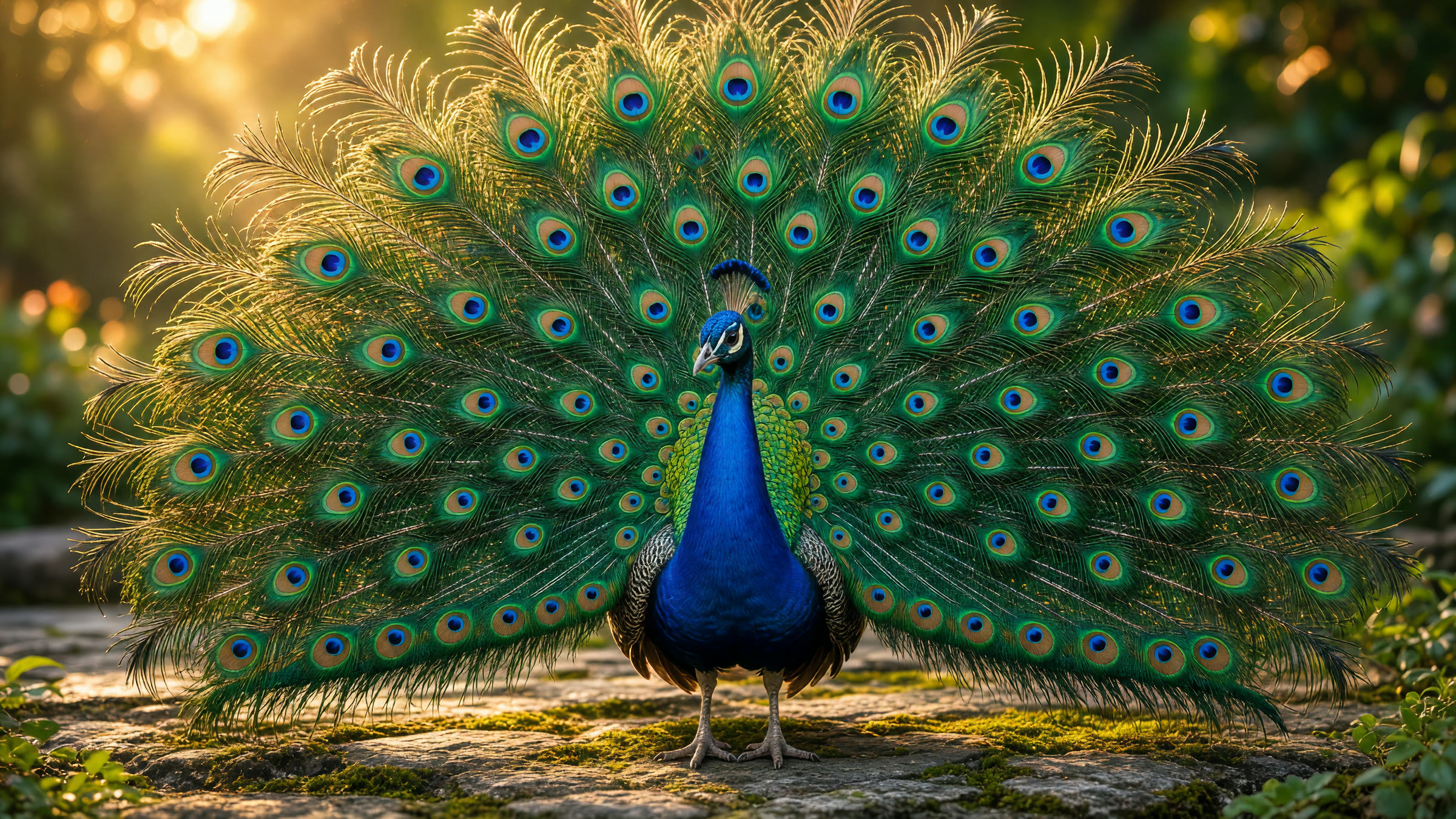
We were testing some fixes in Dojo Workspace and wanted a quick image to check that generation still worked. It turned into something better: Dojo made its own commercial.
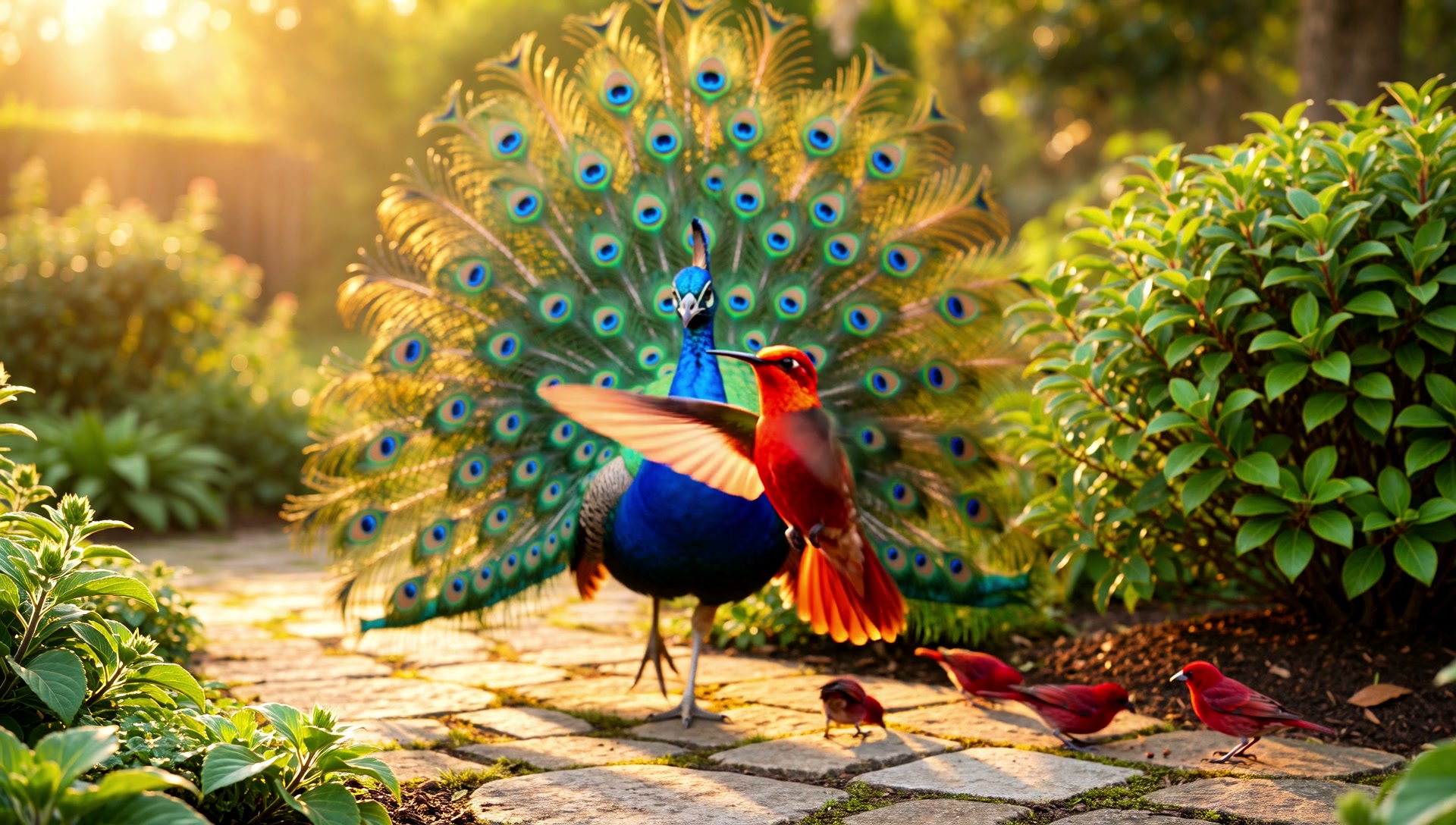
It started with the peacock above. Then the peacock moved. Then it got company: a few tiny burgundy songbirds and a ruby hummingbird. Then the clip became a seamless one-minute loop that zooms into the bird's face at the halfway point. Finally, Dojo wrote and produced a reggae song about itself and laid it underneath.
The whole thing took about half an hour, start to finish, in one conversation. Nobody opened a video editor or a music app, and nobody switched tabs to another AI website. Three different AI providers did the creative heavy lifting, and Dojo did everything in between: planning, prompting, stitching, checking, fixing, and keeping the quality honest.
Press play, then read on for every step, including the parts that went wrong and how they were fixed.
At a glance
| Final length | 66.0 seconds |
| Picture | 1920×1088, 24 fps, H.264, about 22 Mb/s master (8 Mb/s web copy) |
| Sound | Original reggae song with vocals, AAC |
| Image provider | xAI, Grok Imagine Image 2.0 |
| Video provider | xAI, Grok Imagine Video 1.5 |
| Music providers | Google Lyria 3.5 (first take), ElevenLabs Music v2.5 (final take) |
| Paid generations | 1 image, 2 video clips of 15 seconds each, 2 song takes |
| Editing | Done locally on the Mac with Dojo's built-in media tools, at no cost |
| Wall-clock time | About 33 minutes from first image to final render |
Step 1: One beautiful still
The first request was simple: create an image of a beautiful peacock, high resolution.
Dojo turned that into a full photographic brief before calling the image model:
A breathtaking male peacock in full display, tail feathers fanned wide in a perfect arc, iridescent eye-spots shimmering in emerald, sapphire, turquoise and bronze. Sharp detail on every feather barb, glossy cobalt-blue neck and crest. Standing on a mossy stone terrace in a lush garden, soft golden-hour sunlight backlighting the feathers, gentle bokeh of green foliage behind. Photorealistic wildlife photography.
There was a small hiccup first: no image model had been picked for that panel yet. Dojo opened the model picker, waited, and the moment a model was chosen it resumed the request on its own. No retyping, no "try again".
Result: a 2816×1584 image in high quality. That is the picture at the top of this post.
Step 2: Fifteen seconds of motion
Next request: give me 15 seconds, the highest quality you can, of this beautiful creature.
This is where routing matters. Making a fresh video from text would have produced a different peacock. Dojo used image-to-video instead, animating the exact still from step 1 so the bird stayed the same bird.
The motion prompt described change over time, not just a scene:
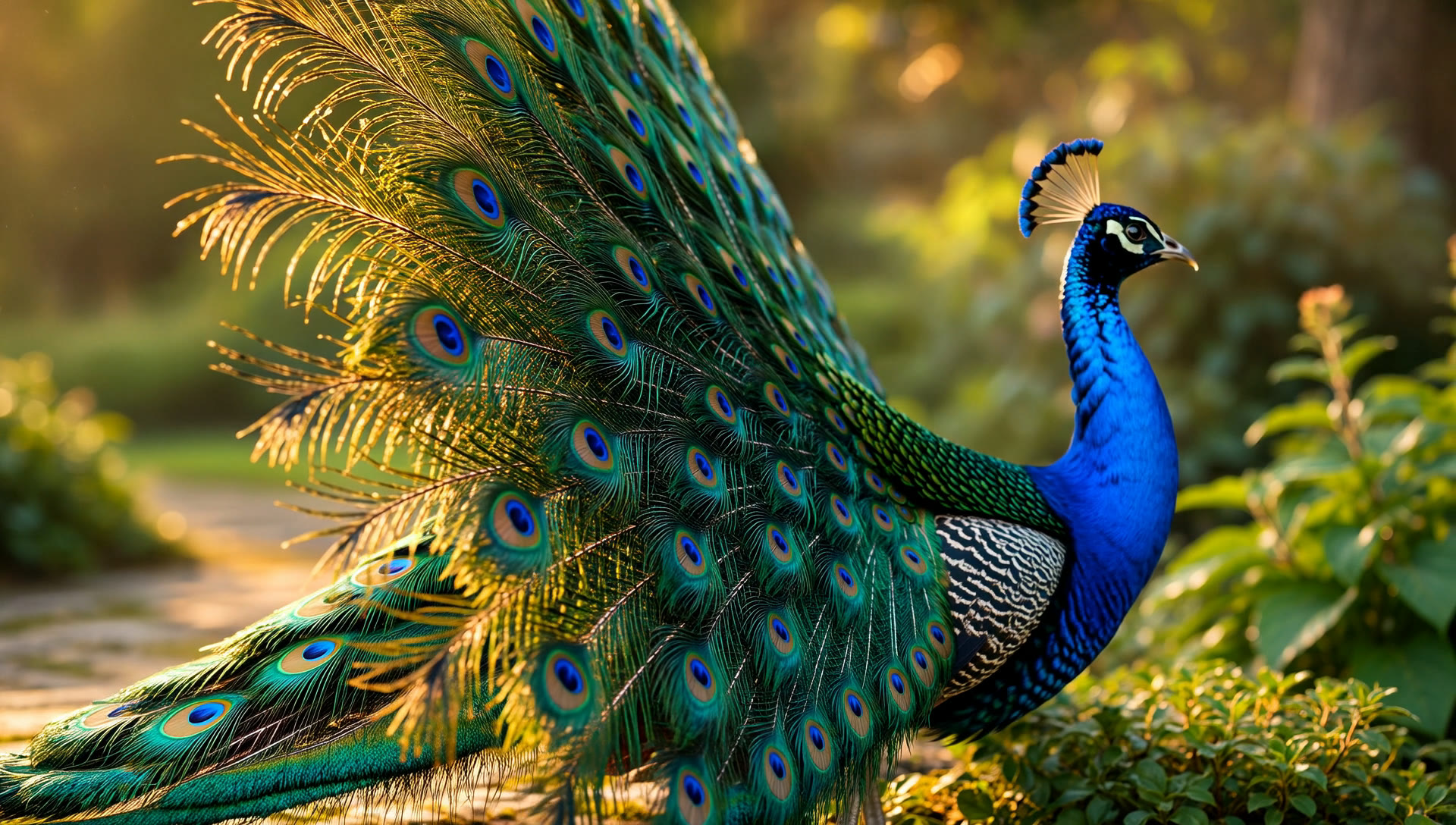
The peacock slowly turns its head and neck, the crest feathers bobbing gently. Its fanned tail shivers in a soft wave, so the eye-spots shimmer as the sunlight catches them. It takes a slow step forward on the mossy stone. The camera starts wide, slowly pushes in toward the eye-spots, and finishes on a gentle half-orbit to the left.
Before spending money, Dojo said out loud that 15 seconds at 1080p is the most expensive setting. Again, no video model was selected yet, so it opened the picker and resumed automatically once one was chosen.
Result: a 15-second, 1080p clip, rendered in about 80 seconds.
One honest note: the model returned 1920×1088, 8 pixels taller than true 16:9. That is normal for video encoders, which like heights divisible by 16. Dojo flagged it instead of hiding it, offered a crop, and left the original untouched.
Step 3: A continuation that starts on the exact last frame
This was the most interesting request of the session:
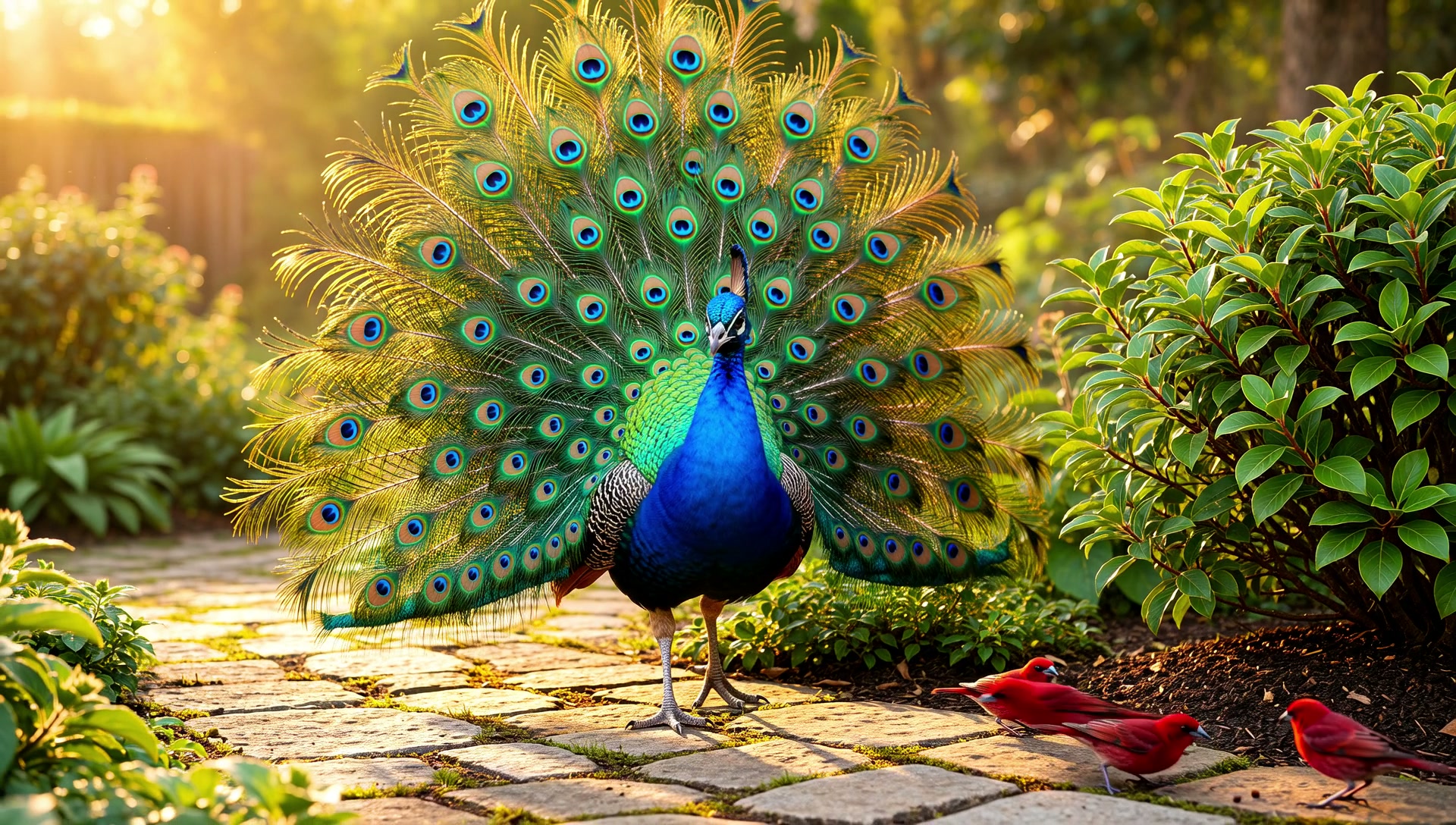
Make this 30 seconds. Take the last frame of this video and create a continuation. Zoom out. A few tiny beautiful red, burgundy birds walk around the bush. The peacock takes a few steps and turns to face the camera. Then a reddish hummingbird flies up to the camera and away, three or four seconds is enough. It has to start from the exact last frame, otherwise it won't be seamless.
Dojo first tried the obvious route: asking the video model to extend the existing clip. The model answered that it does not support that kind of generation.
Instead of giving up or quietly generating an unrelated clip, Dojo took another path to the same result:
- Extract the true final frame of clip one. The first attempt grabbed a frame slightly before the end, so Dojo redid it to get the real last frame.
- Look at that frame to confirm what it showed: a close side view of the peacock, facing right.
- Animate that exact frame into the next 15 seconds with a prompt that starts from it: the camera pulls back, the peacock turns toward the camera, the songbirds hop around the bush, and the hummingbird hovers near the lens before zipping away.
Because clip two literally begins on clip one's last frame, the cut between them is invisible.
Step 4: Stitching, and catching a quality drop
Joining the two clips sounds trivial. Two details make it right:
- Drop the duplicated frame. Clip two starts with the same picture clip one ends on, so Dojo removed that first frame (and the matching sliver of audio) to avoid a tiny stutter at the seam.
- Keep the quality. The first join came out at about 4 Mb/s, because the Mac's built-in hardware encoder ignored the quality settings Dojo had asked for. The source clips were about 27 Mb/s. Dojo measured the output, saw the drop, and re-encoded at about 22 Mb/s before showing anything.
That second point is the kind of thing a person rarely checks and always notices later. Dojo checks it every time, because it measures the file instead of assuming the command worked.
Step 5: One minute, face to face
Next came a creative idea that is easy to say and fiddly to do:
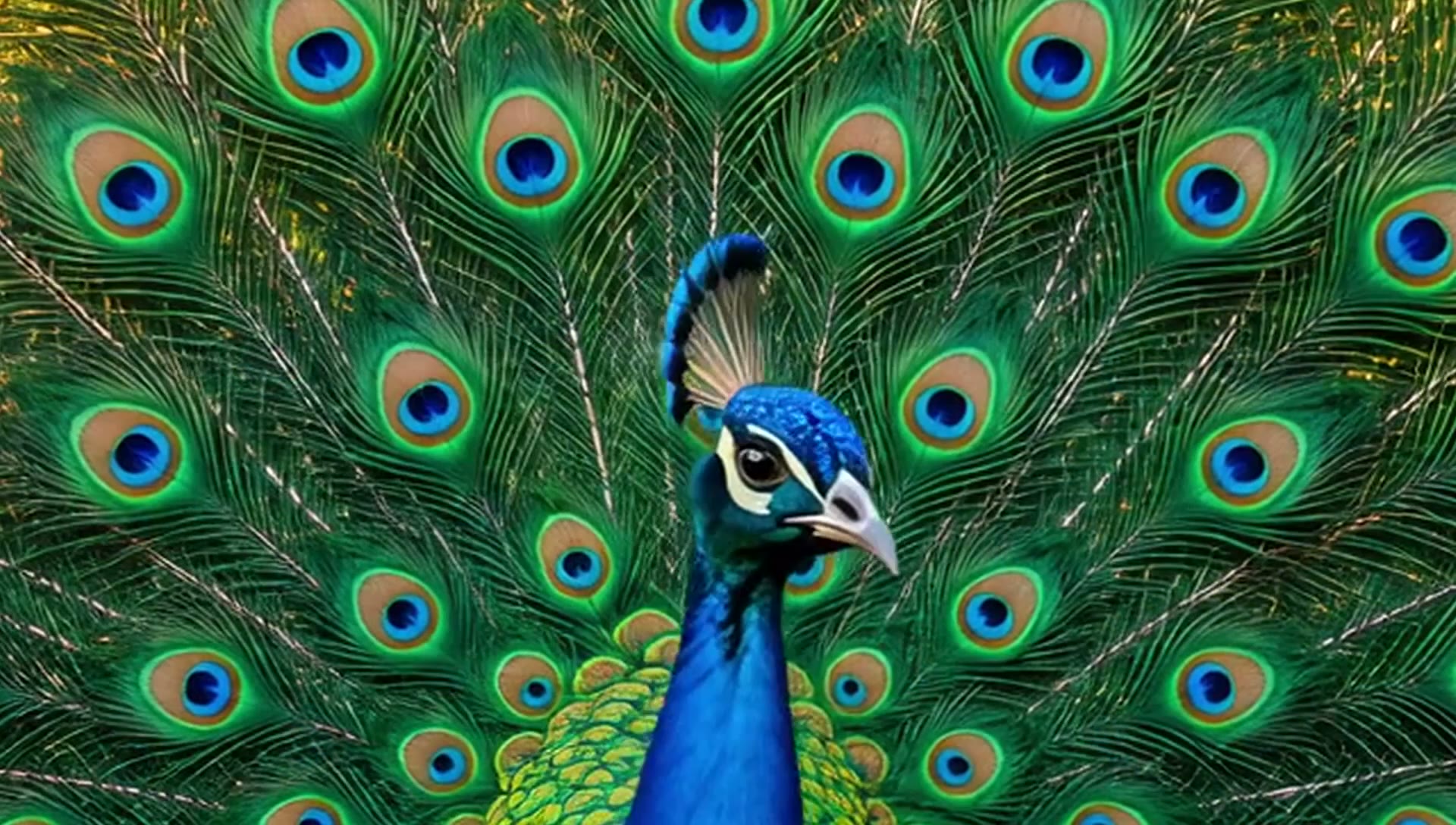
Two copies of the 30 seconds. At the end of the first copy, zoom into the peacock's face. At the start of the second copy, start at the same zoom on the face, then zoom out slowly. The two frames aren't identical, but up close on the face they'll be very close when you switch.
This was all local editing, with no new generation and no cost:
- The zoom in: over the last 3 seconds of copy one, the camera eases into a 3× close-up of the head.
- The switch: a one-second dissolve to copy two, already at the same close-up.
- The zoom out: over 3 seconds, copy two eases back to the full scene, then plays on.
- Smooth motion: the zooms use a soft start and stop rather than a mechanical constant speed.
The first version had a real flaw. At the dissolve, the two heads were about a third of the screen apart, so you saw two peacocks overlap. Dojo pulled frames around the seam, measured where each head actually sat, re-centered both zooms on the same point, and checked again. After two rounds of measuring, the heads line up.
Two more notes refined it:
- The opening doesn't need the face zoom. The video now starts on the full, beautiful scene.
- Let the last scene be the full screen too. The video now ends wide as well.
The only face moment is the one that matters: the handover in the middle.
Step 6: Dojo writes its own song
The brief was personal: make a song about yourself. Reggae or anything. You're a mentor, Solo and Duo, code review is built in. You flap as fast as a hummingbird and your output is as sweet as honey. They power AI; you empower people. Make it clear enough that people understand what Dojo is.
One deliberate choice: the lyrics say Solo and Duo, never voice names, because every user picks their own voices.
Lyrics first, money second. Dojo drafted the lyrics and showed them before generating anything, because a song cannot be patched afterward; a fix means paying for a new take.
Take one: Google Lyria 3.5. It had a catchy groove, but two problems: the music overpowered the singer, and the model moved the chorus up front and dropped the second verse to fit 60 seconds.
When Val asked whether the music was overpowering the singers, Dojo answered plainly: yes, and you cannot fix that by turning the file up or down. Voice and band are baked into one track; any volume or tone change moves both together. The only real fix is a new take with the voice pushed forward.
Take two: ElevenLabs Music v2.5. New lyrics that sell what Dojo is (one workspace, any provider, no lock-in) and a production brief written for clarity:
Light, sparse band: warm bass, soft one-drop drums, offbeat guitar. Organ and guitar licks only between vocal lines. Warm, friendly male lead vocal, dry and close, clearly foregrounded and intelligible throughout; the band drops back under every sung phrase. Gentle, uncompressed mix. The outro fades gently to silence.
Result: 66 seconds of sunny reggae. Dojo also measured the ending to confirm it finishes in silence rather than a hard cut.
The lyrics
[Intro, spoken]
Dojo Workspace. Bring your own AI.
[Verse 1]
Dojo for coding, Dojo for your art,
Dojo makes the music, Dojo plays the part.
Pictures, video, a voice to sing it through,
One little workspace doing all you need to do.
[Chorus]
Dojo, Dojo Workspace,
Bring any provider, no lock, no chase.
Solo and Duo, side by side,
They power AI — we empower you.
[Verse 2]
Code review built in, two minds on every line,
Search it by the meaning, find it every time.
Your keys, your models, your machine, your call,
Dojo the mentor, standing with you through it all.
[Chorus]
[Outro]
Dojo Workspace… we empower you.
These are the lyrics as written and sent. Music models interpret lyrics; they can repeat, reorder or drop a line to fit the length, so treat the recording as the final word.
Step 7: Marrying the picture to the song
The song ran 66 seconds; the video ran 59. Val's call: it's fine if it's a few seconds longer; slow something down in the middle to match.
Dojo picked the most cinematic stretch for the slow motion: the hummingbird pass, the zoom into the face, the dissolve, and the zoom back out. Those 10 seconds of original footage now play over about 17 seconds, roughly 1.7× slower.
Simply stretching footage makes it stutter, because each frame is held longer. Dojo used motion interpolation instead: it builds brand-new in-between frames by tracking how pixels move, so slow motion stays smooth at 24 frames per second.
Then it checked the work:
- Duration: 66.0 seconds, matching the song.
- Streams: picture and sound both present, at about 22 Mb/s.
- Visual check: frames sampled across the slow-motion section showed no obvious warping.
The song replaces the clips' original ambient sound.
Three providers, one workspace
| Job | Provider | Why it fits |
|---|---|---|
| Still image | xAI | High-detail photographic stills |
| Image to video | xAI | Animates a specific frame while keeping the subject |
| Song, take one | Lyria, through Val's Google AI plan | |
| Song, final | ElevenLabs | Clearer vocal for this brief |
| Stitching, zooms, loop, slow motion, checks | Dojo, on the Mac | Free, private, and measurable |
Nothing about the workflow changed when the music provider changed from Google to ElevenLabs. Same conversation, same lyrics process, same checks. That is the point of Dojo: you bring the providers you already pay for, and switching between them is a setting, not a migration.
What it cost
- One high-quality image.
- Two 15-second video clips at 1080p, the priciest video setting, which Dojo called out before each one.
- Two song takes: 64 seconds on Google and 66 seconds on ElevenLabs.
- Everything else was free: extracting frames, stitching, the face-to-face loop, slow motion, the soundtrack swap, web encoding, and every quality check ran locally.
Each paid step was billed by its own provider, on Val's own accounts. Dojo does not mark up generation.
Honest notes
A behind-the-scenes post is only useful if it includes the rough edges:
- 1088, not 1080. The video model outputs 1920×1088. We kept it; a crop to exactly 1080 is a one-step job if a platform requires it.
- A faint double image at the dissolve. The peacock turns its head during the one-second handover, so for about half a second you can see a hint of two heads. A shorter dissolve would reduce it.
- A slightly softer close-up. The face zoom enlarges a 1080p frame 3×, so it is a little softer than the wide shots. Zooming in less would keep it sharper.
- Interpolated slow motion can smear fast detail. Watch the hummingbird; fast wings are the hardest thing to invent frames for.
- Music models take liberties. Take one reordered the song and dropped a verse. That is why Dojo shows lyrics before generating and tells you exactly what changed afterward.
Why this matters
Plenty of websites will turn a prompt into a clip. That is not the hard part.
The hard part is everything around the clip:
- knowing that a continuation must start on the exact last frame, and finding another way when the model can't extend;
- noticing that a join silently dropped to a sixth of the quality;
- measuring where two heads sit instead of hoping a dissolve hides it;
- telling you the truth about a buried vocal instead of pretending a volume tweak fixed it;
- doing all of it with any provider you choose, in the same workspace where you write code, review branches, and search your projects by meaning.
That is Dojo: a mentor that works beside you, with the patience to check its own work.
They power AI. We empower you.
Try it at heydojo.ai, then press play on the video above.